Coding router comparison
Weave Router vs Ramp Router
Both Weave Router and Ramp Router support coding agents. Weave offers inspectable, self-hostable routing and session-cost controls. Ramp provides a managed gateway with opt-in model selection. Compare those operating models, then consider whether you need Weave’s separately offered engineering-output analysis.
Sources reviewed
The short version
Inspectable routing or managed gateway controls?
Weave Router
Inspectable routing and separate analytics
- Inspect Apache-2.0 source or self-host the router
- Evaluate cache-aware switching and escalation across sessions
- Add separately offered output and AI-cost analysis
What is Weave Router?
Weave Router selects coding models with documented cache economics and escalation. Choose hosted setup or a self-hosted stack. Its separately offered intelligence platform connects output estimates, AI attribution and cost.
Ramp Router
Managed gateway and model controls
- Connect coding agents through documented setup guides
- Use BYOK with provider-billed model requests
- Opt into experimental Switchyard or Jev model selection
What is Ramp Router?
Ramp Router is a managed multi-provider gateway for applications and coding agents. It offers provider and cost controls. The standard coding workload keeps your selected model; the experimental workload exposes opt-in Switchyard and Jev model selection.
Side by side
Weave Router and Ramp Router, compared
| What matters | Weave Router | Ramp Router |
|---|---|---|
| Coding-agent support81 | Installer targets Claude Code, Codex, OpenCode and Pi; the public README labels Cursor early beta. | Documents Claude Code, Codex, OpenCode, Pi, Hermes, Cursor and Conductor setup. |
| Model-selection policy98234 | Documents complexity-based selection, cache-aware switching and escalation. Check the hosted or self-hosted strategy you enable. | Default coding profile preserves your model. Experimental Switchyard selects frontier or efficient tiers; Jev chooses among two to six configured models. |
| Cache and session behavior943 | Documents switching only when expected savings justify rebuilding cache, with escalation for harder work. | Jev considers warm caches and returns tool results to their requesting model. Switchyard uses tool errors, compaction, passing tests and turn depth. |
| Source and deployment815 | Apache-2.0 public source and a documented self-hosted stack. Self-hosting includes operating the router and its database. | Managed gateway at api.router.com with provider access and request-level logs. Evaluate it as a hosted service. |
| Credentials and billing8975 | The source documents supported subscription, deployment and BYOK credential paths. Hosted plans, provider usage and self-hosting have different costs. | Advertises free routing with Router API keys. Its FAQ says BYOK requests are billed directly by the provider; shared-key fallback can produce Router charges. |
| Data handling85 | Inspect the request and credential path for your chosen hosted or self-hosted configuration. | Content recording is on by default, with an account-wide opt-out. Provider retention and ZDR depend on the provider and request path. |
| From spend to engineering output101112135 | The separate Weave platform adds Silk 1 expert-effort estimates, explanations, team calibration, AI attribution and cost analysis. | Documents usage, cost, latency, request status and request-level debugging. Ask which accepted-code and output measures you need alongside gateway metrics. |
| Getting access896 | Review the hosted installer and plan, or inspect the self-hosting requirements in the public repository. | Self-service requires a business email and domain. Manual onboarding is available; a Ramp finance account is not required. |
The key difference
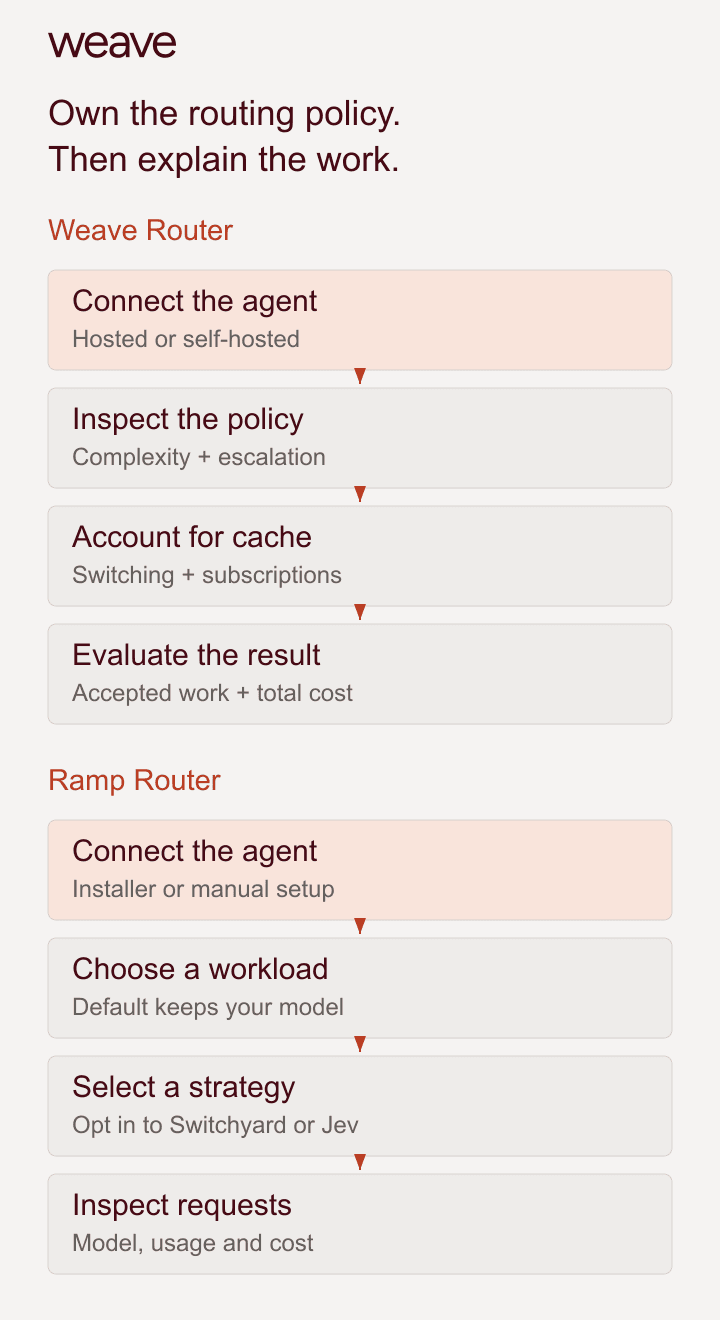
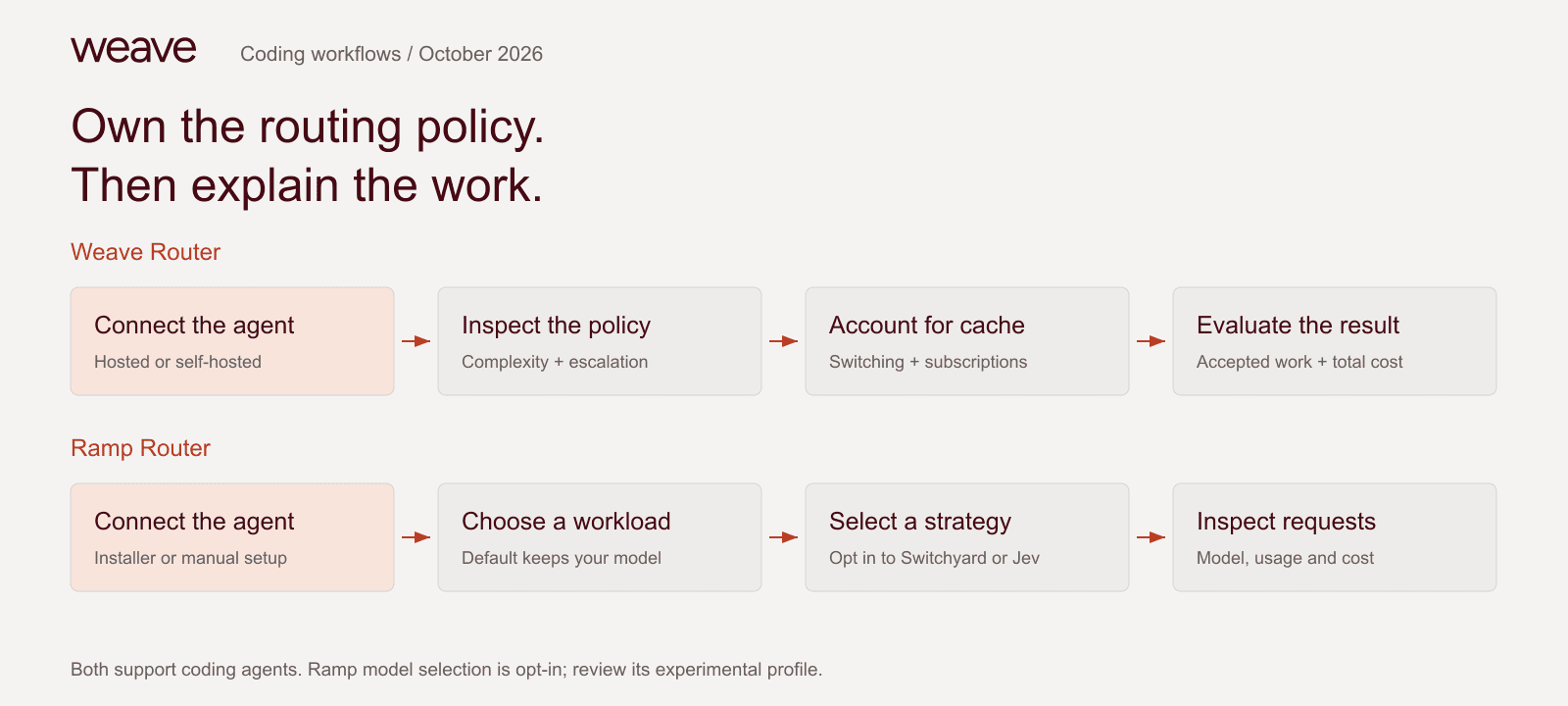
Own the routing policy. Then explain the work.
Evaluate Weave for inspectable routing and separate output analysis. Test actual configurations on representative work before making savings claims.
Why Weave Router
Where Weave gives your team more control
Inspect and operate the router
Read the Apache-2.0 implementation and deployment instructions. Self-host when operating the router fits your requirements, or evaluate the hosted path when you want less infrastructure to manage.
8In practice
Three decisions to make before you switch
Keep a model or select models automatically?
Weave Router
Review the enabled strategy, eligible models, cache decisions and escalation path in the actual deployment.
Ramp Router
The standard coding profile preserves your model. Explicitly configure and select Switchyard or Jev; the experimental profile alone does not enable per-turn selection.
Who pays for each request?
Weave Router
Separate hosted Router terms, supported subscription usage, BYOK inference and any self-hosting cost. Add intelligence-platform pricing only if you need that product.
Ramp Router
Distinguish provider-billed BYOK from shared-key requests. Optional shared-key fallback can change the billing path when provider credentials fail.
What does success look like?
Weave Router
Record accepted code, elapsed time and total cost. With Weave’s platform, inspect expert-effort estimates, quality context and AI attribution separately.
Ramp Router
Use request logs and usage reporting alongside your own acceptance checks. Request-cost visibility and accepted engineering output answer different questions.
Choose for your workflow
When Ramp Router may fit your team
Try it on your own work
Pilot the actual configurations before changing defaults
Save the working setup
Record the agent version, model, provider path and current configuration. Keep a copy you can restore, and use a small pilot group before changing the team default.
Hold the work constant
Use the same repository revision, task instructions and acceptance checks. Record the exact routing profile, eligible models and data settings for each run.
Compare completed tasks and total cost
Include failed attempts, retries, cache reads and writes, routing or plan fees and operator time where relevant. Review the accepted code before broadening the rollout. Vendor results from different workloads are not a common benchmark.
A few more details
Frequently asked questions
Compare coding routers
All comparisons- Cognition Adaptivevs Weave RouterRouting inside Cognition’s coding tools
- LiteLLMvs Weave RouterSelf-hosted API gateway operations
- Not Diamondvs Weave RouterMetadata-based coding recommendations
- OpenCode Govs Weave Code MaxCurated models and usage allowances
- OpenRoutervs Weave RouterManaged access and routing
- Martianvs Weave RouterGateway and research tools
- Nadirvs Weave RouterAdvice or managed execution
Put routing decisions beside engineering results
Inspect Weave Router, test it on your work, and explore the intelligence platform when you need output and cost analysis.
Behind the comparison
Sources and comparison method
Published by Weave. Official vendor pages and public source reviewed October 16, 2026. Recommendations reflect workflow and operating-model fit. Ramp’s default coding profile and opt-in experimental strategies are distinct. No common Weave-versus-Ramp benchmark was run; separate vendor savings claims are not a head-to-head result.
- Ramp Router: coding-agent integrations and gateway documentation
- Ramp workload profiles: default coding behavior and experimental model selection
- Ramp Switchyard: frontier and efficient models, signals and eligibility
- Ramp Jev Auto Routing: two to six models and cache-aware decisions
- Ramp FAQ: BYOK billing, API formats, data recording and provider retention
- Ramp signup eligibility: business domain and manual onboarding
- Ramp Router: free routing with Router API keys and published results
- Weave Router: Apache-2.0 source, installer, self-hosting and credential paths
- Weave Router: cache-aware switching, escalation and subscription routing
- Code Intelligence: Silk 1 output estimates, explanations and calibration
- Token Intelligence: AI attribution and cost sources
- Weave AI ROI method: units, coverage and limits
- Weave platform pricing and separately billed Router plans